
Asset Library
Manage your images, fonts, colors, designs, and product sides in one central place.
Images
Upload and organize product images, clipart, and design assets. All images are stored securely on Amazon S3.
- Upload — Drag & drop or browse to upload images (PNG, JPG, SVG)
- Categories — Organize images into categories for easy browsing in the customizer
- Search — Find images by title or tags
- Bulk Operations — Delete, tag, or categorize multiple images at once
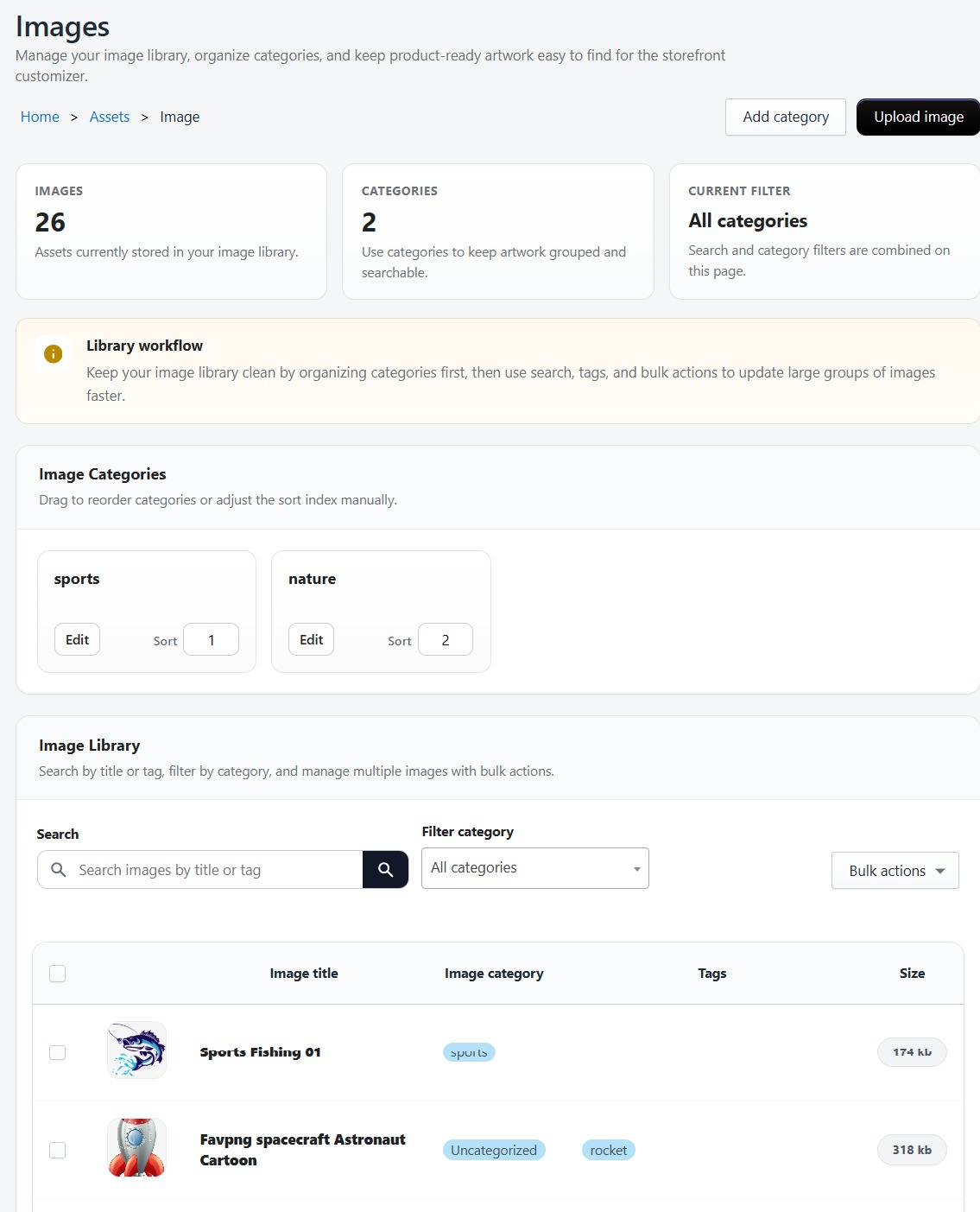
Image Categories
Create categories to organize your image library. Categories can be reordered using drag-and-drop sorting. Images assigned to categories will appear under those categories in the product customizer's image browser.
Fonts
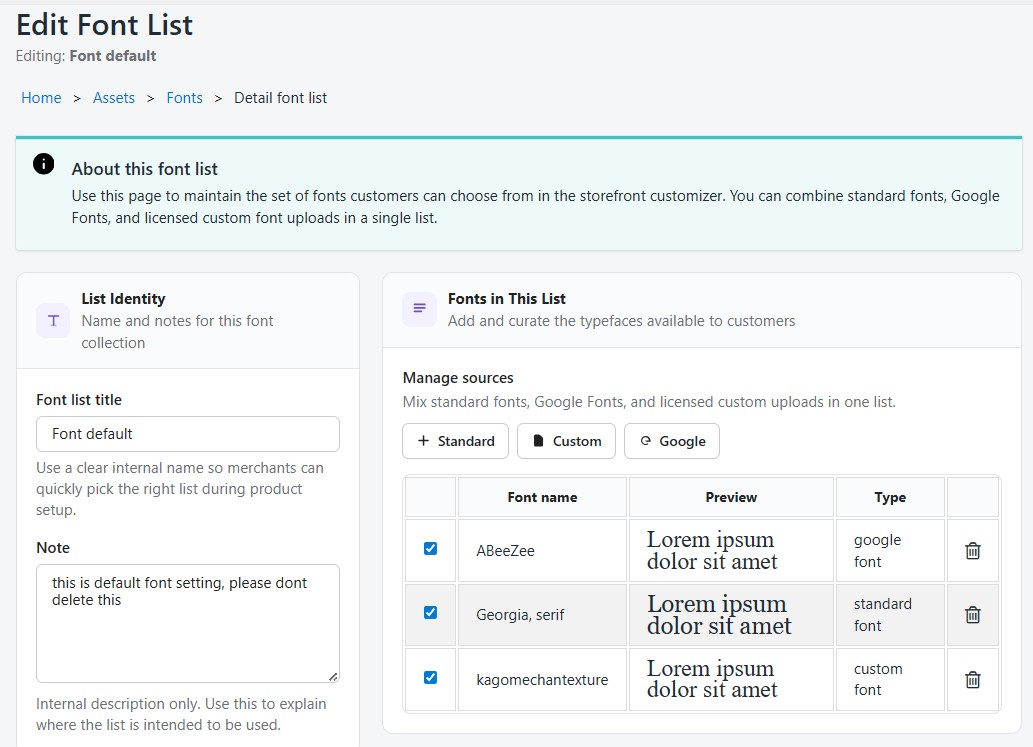
Manage the fonts available to customers in the product customizer:
- Google Fonts — Add fonts from the Google Fonts library
- System Fonts — Include standard system fonts
- Custom Fonts — Upload your own TTF or OTF font files
- Font Packages — Create font sets that can be assigned to specific products
Preview fonts before adding them, set a default font, and organize fonts into groups.
Colors
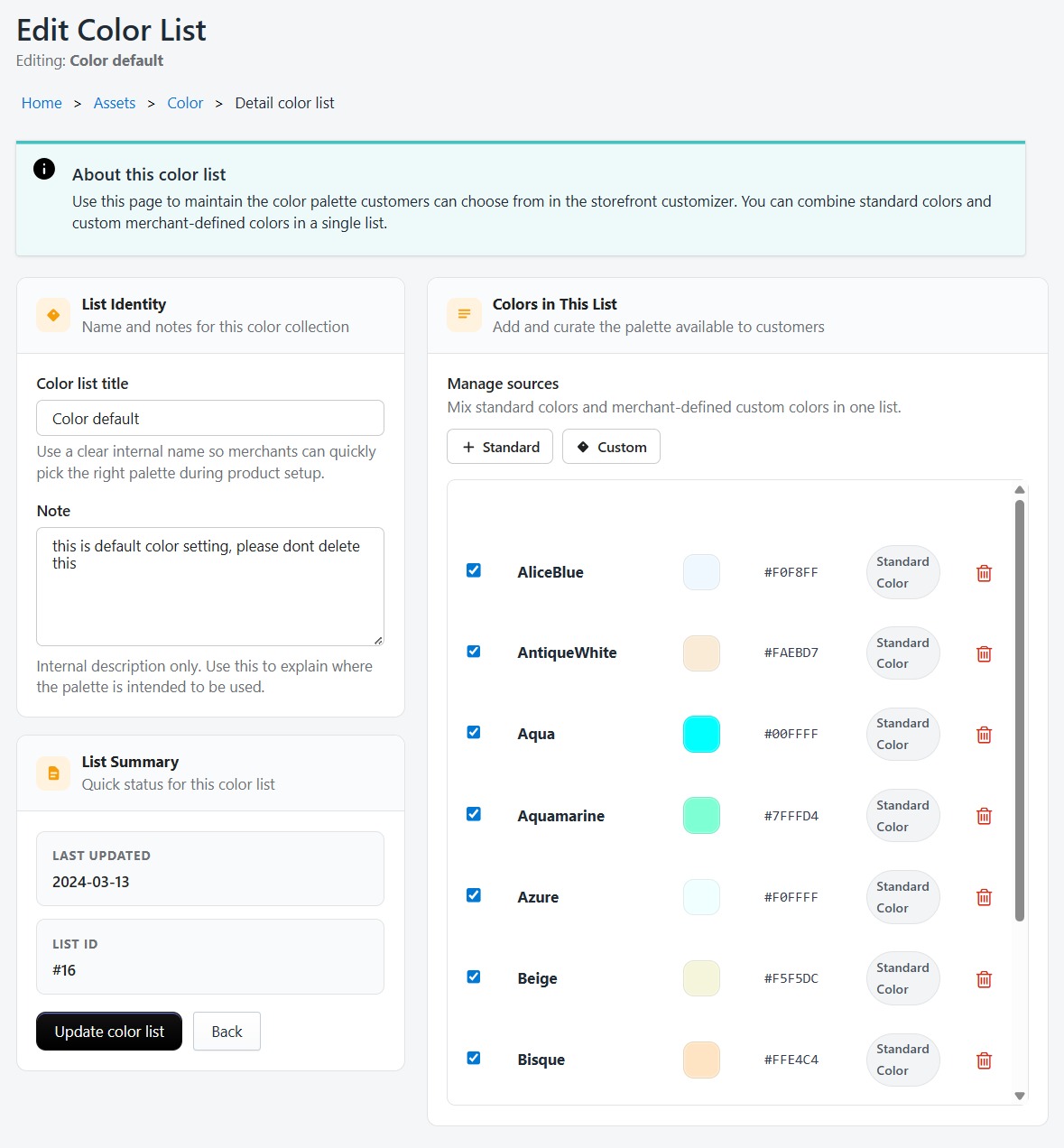
Define color palettes available in the customizer:
- Standard Colors — Pre-defined common colors
- Custom Colors — Add specific hex colors to match your brand
- Color Settings — Create multiple color palette groups
- Default Palette — Set which color palette loads by default
Designs
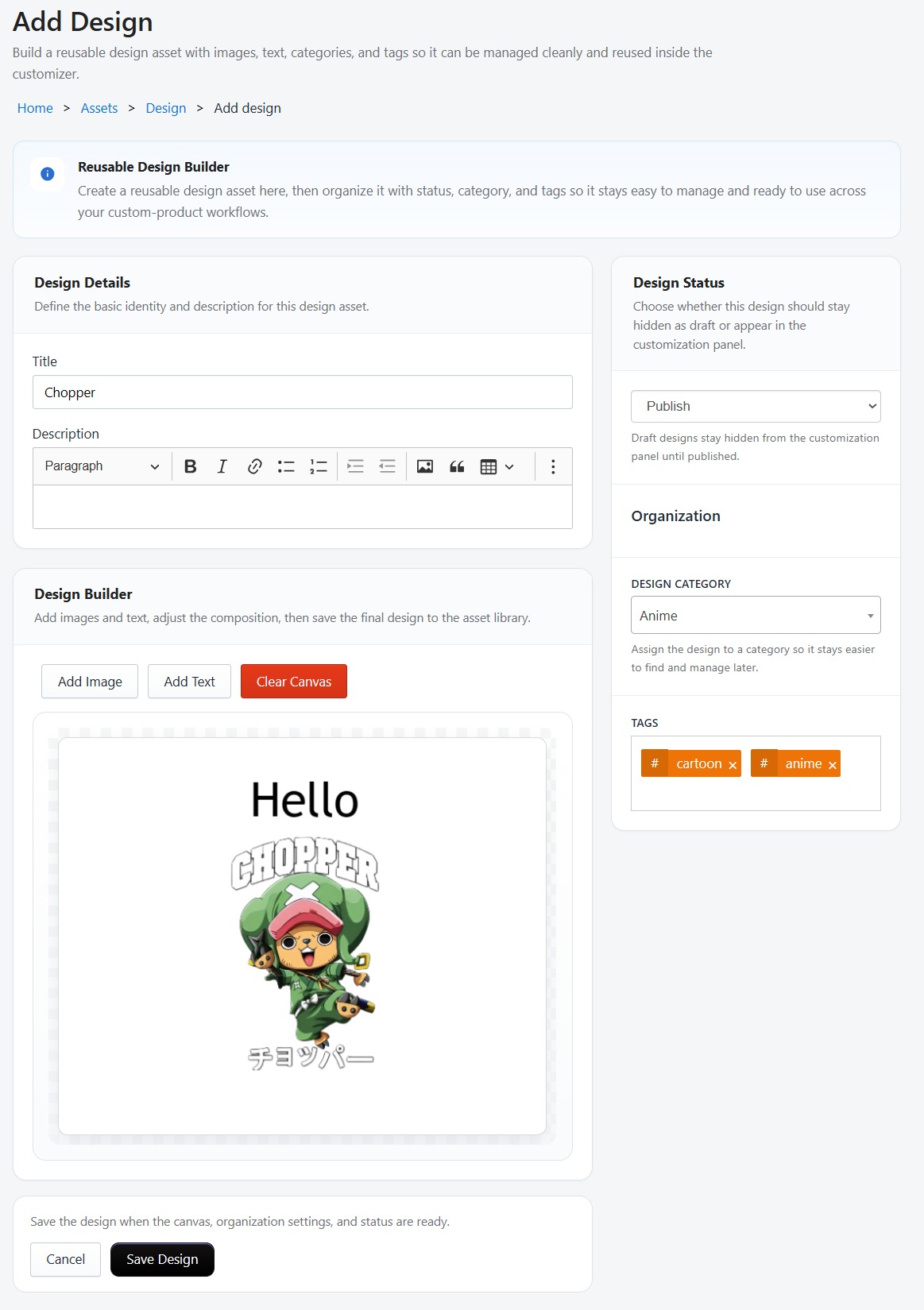
Create and manage reusable design templates using the Fabric.js design builder:
- Design Builder — Create designs with the same tools as the product customizer
- Design Categories — Organize designs by theme or purpose
- Tags — Add searchable tags to designs
- Preview — Auto-generated thumbnails for each design
- Bulk Operations — Duplicate, delete, or categorize multiple designs
Product Sides
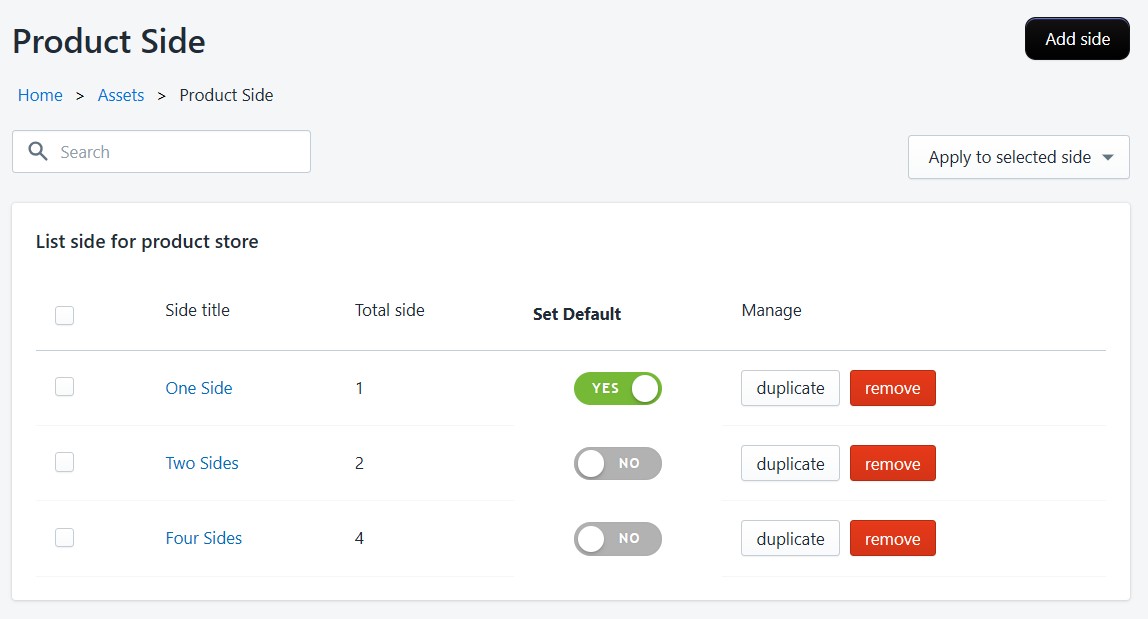
Define reusable side configurations for your products (front, back, left sleeve, right sleeve, etc.). Side sets can be assigned to multiple products so you don't have to recreate them each time.
- Create side configurations with custom names
- Set a primary side that loads first in the editor
- Reorder sides using drag-and-drop
All assets count toward your plan's storage limit. Monitor your usage on the Dashboard.